An employee logs into the company network from home. A vendor needs temporary access to a financial system. A manager opens a shared document from a personal tablet. Each request may be legitimate, but the business still needs a reliable way to confirm who is connecting, what they are allowed to reach, and whether the activity makes sense.
Many small and midsized businesses still rely on a simpler security model. Once someone enters the network with the correct password, they are treated as trustworthy. That approach made more sense when employees worked in one office and company data stayed on local servers.
Today, business systems are spread across cloud applications, remote devices, offices, and outside service providers. Zero trust security offers a more practical way to manage access in this environment.
Zero Trust Is About Verification, Not Suspicion
The name can sound severe. It may suggest that a company should distrust its employees or create obstacles around every task.
That is not the goal.
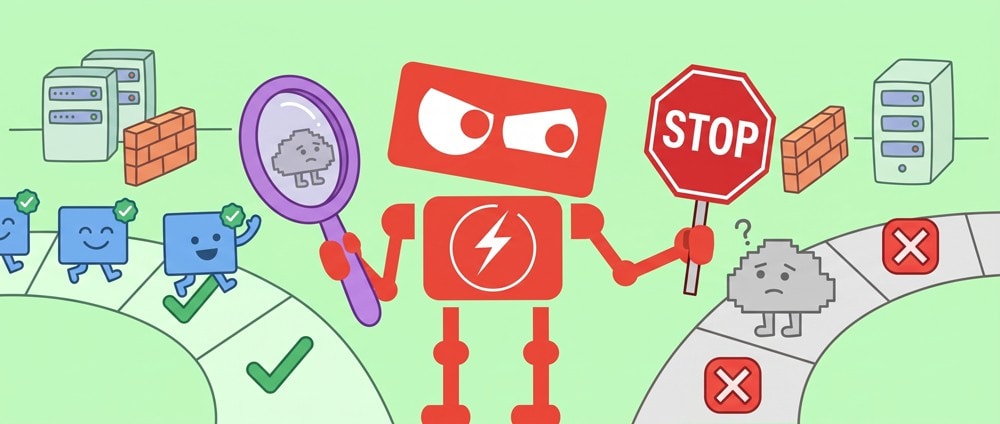
Zero trust security means that access is verified based on the person, device, application, location, and current level of risk. A successful login does not automatically provide unlimited access to everything on the network.
Consider an accounting employee who normally signs in from California during business hours using a company laptop. If that account suddenly attempts to access payroll records from another country using an unfamiliar device, the system may require additional verification or block the attempt.
The decision is based on context rather than a simple assumption that anyone with a password must be legitimate.
For an SMB, the principle can be summarized through three questions:
1. Who is requesting access?
2. What resource do they need?
3. Is there a valid business reason for this access right now?
These questions help reduce risk without treating every employee as a threat.
Why Traditional Network Security Has Become Less Effective
Traditional security often focuses on creating a strong boundary around the company network. Firewalls, office networks, and virtual private networks are used to separate trusted users from the outside world.
The problem is that the boundary is no longer clear.
Employees may work from home, customer locations, airports, and shared workspaces. Business data may be stored in several cloud services. Contractors may need access to specific systems for a limited time. Personal devices may also connect to company email or documents.
In this environment, being inside the network does not necessarily mean that a user or device is safe.
Password theft adds another concern. If an attacker obtains valid login credentials, a traditional system may treat the attacker like an authorized employee. The attacker can then move from one system to another, searching for sensitive information or broader permissions.
Zero trust limits this movement. Even after gaining access to one account or application, a user must still meet the requirements for other resources.
For example, a salesperson may need access to customer records but not employee tax documents. A temporary bookkeeper may need access to accounting software but not the entire shared drive. A marketing contractor may need permission to edit website content but not view internal financial reports.
Separating access this way helps contain mistakes, compromised accounts, and inappropriate activity.
What Zero Trust Security Looks Like in an SMB
Zero trust is not a single product that a business installs. It is a security approach that combines several policies and technologies.
Strong Identity Verification
Passwords alone are not enough to confirm identity. Multifactor authentication adds another verification step, such as a mobile notification, security key, or temporary code.
This makes a stolen password less useful because the person attempting to sign in must provide additional proof.
Businesses should apply multifactor authentication first to email, financial systems, administrative accounts, cloud storage, and any application containing sensitive information.
Access Based on Job Responsibilities
Employees should have access to the information required for their work, but not automatically to every system.
This is often called least privilege access. In practical terms, it means reviewing what each role actually needs.
A customer service employee may need access to order information but not payroll. A human resources manager may need personnel records but not network administration tools. An outside vendor may need access to one application for two weeks, rather than permanent access to the full network.
Access should also change when an employee moves into a new role or leaves the company.
Device Health Checks
A valid employee may still be using an unsafe device.
Zero trust security can consider whether a computer has current security updates, active protection, encryption, and an approved configuration before allowing it to access company information.
For example, an employee might be allowed to read email from a personal device but prevented from downloading confidential files. A company laptop with proper security controls could receive broader access.
This helps the business protect information without relying entirely on the physical location of the device.
Network and Application Separation
Many businesses have networks where users can reach far more than they need. Once connected, an account may be able to communicate with shared folders, servers, printers, administrative systems, and other devices.
Zero trust reduces unnecessary connections by dividing systems into smaller access areas.
If a computer is compromised, the incident is less likely to spread across the entire business. The affected device may be able to reach only a limited number of approved resources.
Ongoing Monitoring
Zero trust does not verify a user only once. It continues to evaluate activity after access has been granted.
A login may appear normal at first, but later behavior could indicate a problem. Examples include downloading an unusually large number of files, accessing records outside normal responsibilities, or attempting to enter several restricted systems.
Monitoring helps the business identify unusual behavior earlier and respond with better context.
How SMBs Can Adopt Zero Trust Without Disrupting Work
A complete zero trust strategy does not need to appear all at once. For most SMBs, a gradual approach is more realistic and easier for employees to understand.
The first step is to identify important business systems and sensitive information. This may include email, customer data, accounting records, personnel files, backups, and administrative tools.
Next, the business can review who has access to those resources. Old accounts, shared credentials, excessive permissions, and temporary access that was never removed are common findings.
Multifactor authentication is usually one of the most valuable early improvements. Device management, access policies, and network separation can follow based on business risk and operational needs.
Employee experience should remain part of the planning process. Security controls that are confusing or inconsistent can lead people to create workarounds. Clear instructions, reliable sign-in methods, and well-designed access policies make the strategy easier to follow.
The goal is not to ask employees for additional verification every few minutes. A well-planned system can recognize normal activity and introduce stronger checks only when the situation calls for them.
Does Every Small Business Need Zero Trust?
Not every SMB needs the same level of complexity, but nearly every modern business can benefit from zero trust principles.
A small professional services company may begin with multifactor authentication, managed devices, and role-based permissions. A manufacturer with several locations may also need stronger network separation and controls for vendors. A company with remote employees may focus more heavily on cloud application access and device verification.
The right approach depends on where the company stores information, how employees work, which outside parties have access, and what would happen if an account or device were compromised.
Zero trust security for small businesses should be proportionate. It should protect important operations while allowing employees to work efficiently.
A More Practical Way to Think About Trust
Zero trust reflects a simple reality. Business access should be based on current evidence, not assumptions created by a password, office location, or past approval.
For SMB leaders, the value is greater control and visibility. The business can better understand who has access, why they have it, and what happens if an account or device becomes unsafe.
A useful next step is to review identity controls, device requirements, and employee permissions across the systems that matter most. Even a focused assessment can reveal where trust is being granted too broadly and where verification could be strengthened without making everyday work harder.