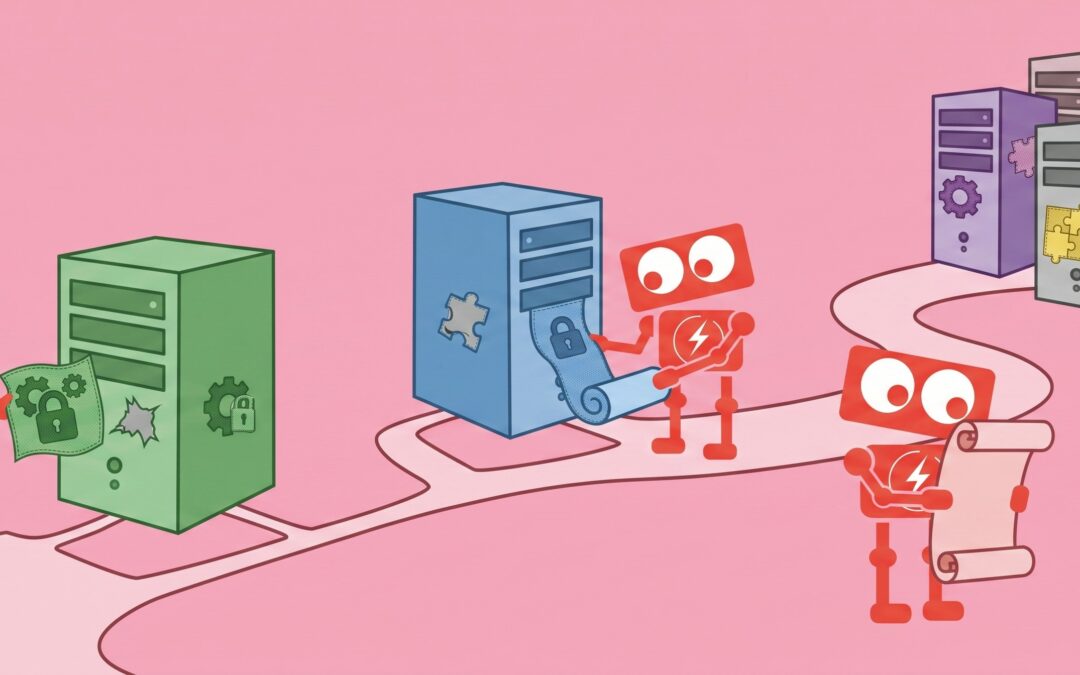
A software update notification appears on an employee’s screen in the middle of a busy afternoon. They click “remind me later” because they are working on a deadline. A server update is postponed because the team does not want to interrupt operations. A laptop used by a remote employee misses several updates because it is rarely connected to the company network.
None of these situations feels particularly serious on its own.
The problem is that small delays can accumulate. Over time, a business can end up with dozens or even hundreds of devices running software with known security weaknesses.
That is why patch management is not simply an IT maintenance task. It is an important part of reducing cybersecurity risk and keeping business systems reliable.
For small and mid-sized businesses, effective patch management means knowing what needs to be updated, deciding which updates matter most, deploying them safely, and confirming that they were actually installed.
Why Software Patches Matter for Cybersecurity
Software is constantly being improved. Developers release updates to fix bugs, improve compatibility, add features, and address security vulnerabilities.
A security vulnerability is simply a weakness in software that could potentially be exploited. Once a vulnerability becomes publicly known, attackers may begin looking for systems that have not yet been updated.
This creates an important distinction for business leaders.
The question is not whether every unpatched device will be attacked. The more useful question is whether the organization is leaving known weaknesses open longer than necessary.
Imagine a company with 60 computers. Most employees receive updates automatically, but several rarely used laptops are sitting in storage. A few executives repeatedly postpone restarts. One older application requires manual updates.
From a business perspective, those exceptions matter. Cybersecurity is often less about the systems that are working correctly and more about the few systems that quietly fall outside the normal process.
Patch management provides a structured way to find and address those gaps.
What Does Patch Management Actually Include?
Patch management is the process of identifying, evaluating, installing, and verifying software updates across an organization’s technology.
That sounds straightforward, but businesses usually have more software than they realize.
Updates may be needed for:
- Operating systems
- Web browsers
- Business applications
- Cloud-connected software
- Servers
- Network equipment
- Remote employee computers
- Security tools
- Specialized industry software
A good patch management process also involves deciding when updates should be installed.
Some security patches should be addressed quickly because they fix serious vulnerabilities. Other updates may need testing first because they could affect an important business application.
The objective is not simply to install every update immediately. The objective is to create a consistent process that balances security with operational stability.
Automatic Updates Help, but They Are Not the Whole Strategy
Many businesses assume that automatic updates solve the patch management problem.
They certainly help.
For individual consumer devices, automatic updates may be enough. In a business environment, however, IT teams usually need greater visibility.
Was the update successfully installed?
Did a laptop miss the update because it was offline?
Does the update require a restart?
Could the update interfere with an accounting system, manufacturing application, or other critical software?
Are older devices still supported by the software manufacturer?
Patch management answers these questions by adding oversight to the update process.
Unpatched Software Creates Avoidable Business Risk
One of the most important reasons to prioritize patch management is that many software vulnerabilities are already known before attackers attempt to exploit them.
When a vendor discovers a security problem, it may release a patch that fixes the issue. Once that information becomes public, businesses running the older version may remain exposed until the update is installed.
For an SMB, the consequences of an exploited vulnerability can extend beyond the affected computer.
An attacker could potentially gain access to company data, employee accounts, internal systems, or other devices on the network.
The business impact might include operational interruptions, lost productivity, investigation costs, compliance concerns, or time spent restoring systems.
Patch management cannot eliminate every cybersecurity risk. No security control can.
It can, however, reduce exposure to vulnerabilities that already have known fixes. That makes it one of the more practical security measures available to a business.
Why Patch Management Becomes Harder as a Business Grows
Patch management often starts informally.
When a company has five or ten computers, someone may simply install updates when notifications appear.
That approach becomes less reliable as the organization grows.
A company with 50 or 100 computers may have employees working from different locations, multiple operating systems, several business applications, servers, network devices, and remote laptops that are not always online.
At that point, manually checking individual devices becomes unrealistic.
The organization needs visibility.
Business leaders should be able to answer questions such as:
How many devices are fully updated?
Which systems are missing important security patches?
How quickly are critical patches normally installed?
Are unsupported operating systems still being used?
Are remote devices receiving the same updates as office computers?
Without a consistent process, patching can gradually become reactive. Updates are installed only when someone notices a problem or when an application forces an upgrade.
A managed approach turns patching into routine maintenance rather than an occasional cleanup project.
Patch Management Also Supports Reliability and Compliance
Security is the main reason businesses should care about patch management, but it is not the only one.
Software updates often fix stability problems that cause applications to crash, freeze, or behave unpredictably. Keeping systems current can reduce these issues and improve compatibility between different applications and devices.
Patch management may also support compliance efforts.
Some industries require organizations to maintain reasonable security controls or demonstrate that known vulnerabilities are being addressed. A documented patch management process can help show that software updates are being managed consistently.
Even when a specific regulation does not apply, the same principle is useful.
Businesses benefit from knowing which systems they operate, whether those systems are supported, and whether important security updates are being installed.
That visibility is valuable for both cybersecurity and technology planning.
What Should a Small Business Patch Management Process Look Like?
Patch management does not need to be complicated, but it should be consistent.
A practical process usually starts with an accurate inventory of computers, servers, applications, and network devices. After all, a business cannot reliably update technology it does not know exists.
Updates should then be monitored and prioritized according to their security importance and potential business impact.
Critical updates may require faster deployment. Routine updates may follow a regular maintenance schedule. Updates that affect important applications may need testing before they are deployed widely.
The final step is verification.
Installing an update is not the same as confirming that every device received it successfully.
A good process identifies failed installations, offline devices, systems that need restarts, and software that can no longer receive security updates.
For growing SMBs, this visibility is often more important than the update itself.
Patch Management Is About Reducing Known Risk
Cybersecurity can sometimes feel unpredictable because businesses cannot know exactly which threats they will encounter.
Patch management is different.
It focuses on something relatively concrete: security weaknesses that are already known and, in many cases, already have a fix available.
That makes patch management a useful place for business leaders to bring structure to cybersecurity.
The goal is not perfect software or constant updating. It is knowing that important systems are being monitored, vulnerabilities are being addressed thoughtfully, and outdated technology is not quietly creating unnecessary exposure.
For businesses with 30 to 100 computers, that level of consistency can make security easier to understand and easier to manage.
A useful next step is to evaluate how updates are currently handled across your organization. Look at how quickly important patches are installed, whether remote devices are included, how failed updates are identified, and whether any unsupported software is still in use.
The answers can provide a clear picture of whether patch management is functioning as routine maintenance or becoming a security gap.