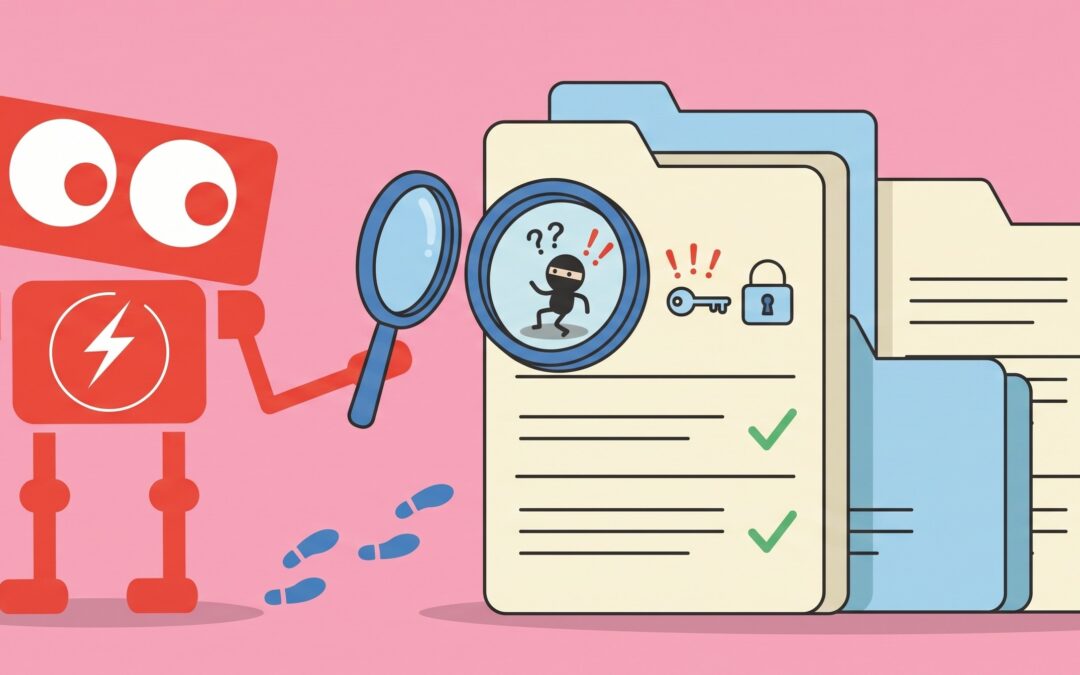
A suspicious login appears in your Microsoft 365 account. Someone signs in from an unfamiliar location at 2:13 a.m. The security log recorded it, so the company has proof that something unusual happened.
But that creates a more important question: what does the log actually prove?
It might show that an account was accessed from a new location. It may show the IP address, device, authentication method, and time. What it usually cannot tell you on its own is whether the employee was traveling, using a new internet connection, or dealing with a compromised account.
That distinction matters.
Security logs are one of the most valuable sources of evidence available to a business. They can help IT teams detect unusual activity, investigate incidents, troubleshoot problems, and understand what happened across systems.
But logs are evidence, not conclusions.
For small and mid-sized businesses, understanding that difference can make security monitoring much more useful.
Security Logs Create a Record of What Happened
Most business technology generates some form of activity record.
Microsoft 365 may record logins and administrative changes. Firewalls record network activity. Computers can record application events, authentication attempts, software installations, and security alerts. Cloud platforms may track file access, configuration changes, and user activity.
Collectively, these records are called security logs.
Think of them as a detailed timeline of activity across your technology environment.
If someone unsuccessfully attempts to sign in to an employee account 50 times, the authentication logs may capture those attempts. If someone successfully signs in later, that event may appear as well.
If a confidential file is downloaded, a cloud platform may record which account accessed it and when.
If software is installed on a computer, the device may generate another event.
These records become especially valuable when something unusual happens because they help answer basic investigative questions.
What account was involved? What device was used? When did the activity occur? Where did the connection originate? What happened immediately before and after the event?
Without logs, answering those questions can become much harder.
A Log Event Does Not Automatically Mean Something Is Wrong
One of the biggest misconceptions about security monitoring is that unusual activity always represents malicious activity.
It does not.
Imagine an employee traveling for a conference. They connect to hotel WiFi, sign in to Microsoft 365 from a new location, and download several documents before a meeting.
From a security monitoring perspective, that activity might look unusual. The employee is connecting from a location the system has never seen before. They are using a different network. They may even be accessing more files than usual.
Those events are real, but they are not necessarily dangerous.
The opposite problem can happen too.
An attacker who has obtained an employee password might sign in from a familiar geographic area during normal business hours. The login could look completely ordinary when viewed by itself.
This is why effective security monitoring requires context.
A single event rarely tells the entire story.
Analysts often need to compare several pieces of information, including user behavior, device history, authentication patterns, application activity, and network events.
Security logs become most useful when they can be connected to one another.
What Security Logs Cannot Tell You by Themselves
Logs are powerful, but they have important limitations.
Logs Usually Record Actions, Not Intent
A log might show that someone downloaded 2,000 files.
It cannot automatically explain why.
Perhaps an employee was preparing documents for an audit. Perhaps a new computer was synchronizing cloud storage. Perhaps an account had been compromised.
The activity may be identical in the log while the underlying situations are completely different.
Logs Cannot Record What Was Never Collected
Businesses sometimes assume that every system keeps a complete historical record of everything that happens.
That is rarely true.
Different systems record different events. Some logs may only be retained for a limited period. Others may require specific settings before certain activity is recorded.
This can become important during an investigation.
Imagine discovering suspicious activity today and needing to understand what happened three months ago. If the relevant logs were only retained for 30 days, that evidence may no longer exist.
For this reason, log retention is an important part of security planning.
Logs Do Not Automatically Create Visibility
A company might generate millions of security events every month and still miss important activity.
Simply collecting logs does not mean anyone is reviewing them effectively.
The challenge is identifying which events matter.
A failed login is common. Hundreds of failed logins followed by a successful login from an unfamiliar device may deserve closer attention.
The value comes from connecting activity patterns rather than treating every event equally.
Good Security Monitoring Adds Context to Logs
The question for business leaders should not simply be, “Are we collecting logs?”
A better question is, “Can we use those logs to understand what is happening?”
Consider a fictional 60-person professional services company.
An employee account signs in at 8:45 a.m. from California. Twenty minutes later, another login appears from a different country. Shortly afterward, the account creates a new email forwarding rule.
Each individual event may be recorded in a different place.
The login system records authentication activity. The email platform records the forwarding rule. A security platform might record changes to the account.
Viewed separately, none of these events necessarily proves an account compromise.
Viewed together, they tell a much more meaningful story.
This is one reason modern security monitoring often brings information from multiple systems together. The objective is not simply to create more logs. It is to make existing information easier to interpret.
For SMBs, this can also reduce alert fatigue.
If every unusual login generates the same level of concern, people eventually learn to ignore alerts. Better monitoring focuses attention on combinations of events that provide stronger evidence that something may require investigation.
What Businesses Should Ask About Their Security Logs
Business leaders do not need to understand every technical event their systems generate. They should understand whether the organization has enough visibility to investigate problems when they occur.
Useful questions include:
- Which systems are currently generating security logs?
- How long are important logs retained?
- Are authentication, cloud, email, firewall, and device activity being monitored?
- Can activity from different systems be compared during an investigation?
- Who reviews important alerts?
What happens when suspicious activity is detected?
Would the organization have enough historical information to investigate an incident discovered several weeks later?
These questions help shift the conversation from simply collecting data to creating useful security visibility.
Security Logs Are Evidence, Not Answers
Security logs can reveal an enormous amount about what happens inside a business technology environment.
They can show who signed in, what devices were involved, which files were accessed, what configuration changes occurred, and when important events happened.
What they cannot always explain is why those events occurred or whether they represent legitimate activity.
That requires context.
A mature approach to security monitoring combines useful logs, reasonable retention, thoughtful analysis, and clear investigation procedures. The objective is not to record everything forever. It is to preserve the information that would help your business understand unusual activity when questions arise.
If you are evaluating your own security visibility, start with a simple exercise. Ask which systems would provide evidence if an account, computer, or cloud service were compromised today, and how far back that evidence would allow you to investigate.
The answers can provide a surprisingly clear picture of what your current security monitoring can tell you, and what it cannot.